VidEffect-AI Effects Maker
- 0.0
- Rating
- 50.00K
- Installs
- Free
- Price

 Analysis by App-foxy
Turning a few photos into something that feels ready to share usually takes more than pressing an export button. I tried VidEffect as a lightweight tools app for that exact problem: starting with still images and using AI effects templates to create short videos without building every transition by hand. My first impression was that it is aimed at people who want a quick visual result rather than a full editing workstation.
The app comes from VidEffect and is free to install, with optional in-app purchases ranging from $12.99 to $309.99 per item. That pricing range immediately makes the decision less simple than the word “free” suggests. You can explore the app without paying upfront, but anyone considering regular use should pay attention to which effects or export-related options are available before committing to a purchase.
VidEffect is listed for everyone and works on Android 7.0 or newer. It has reached over 50 thousand installs, and the current version is 1.0.2. The release date is April 9, 2026, so I would treat it as a relatively early product and judge it mainly by how well its central photo-to-video workflow fits my needs, rather than expecting the depth of a mature editor.
You May Also Like

 Blood Strike: 2.5 Anniversary
Blood Strike’s Loadouts Turn Every Drop Into a Tactical Gamble
A close look at Blood Strike’s custom loadouts: how fast access to signature weapons reshapes its battle royale rhythm, rewards preparation, and narrows the gap between fights.

 Pandora - Music & Podcasts
Pandora’s Music Is Easy to Start, but Harder to Recover
Pandora’s strength is its low-effort path from a seed to a station. Its weak spot is how much confidence it asks you to place in connection, setup, and quiet recovery.

 8 Ball Pool
 Is Built on Rivalries, Rematches, and Routine
A close look at the rivalries, rematches, shared routines, and unanswered safety questions that turn a quick pool match into a persistent mobile community.

 Samsung Music
’s Quiet Strength Is Playing What You Already Own
Its reach comes less from spectacle than from dependable access to a personal library. That simplicity is both the app’s strongest retention engine and its ceiling.

 AccuWeather: Weather Radar
AccuWeather Review: A Quick, Clear Forecast for Everyday Decisions
For everyday plans, the best forecast is the one you can understand quickly. AccuWeather makes rain timing, radar, and local conditions easy to act on, with a few trade-offs.

 Hill Climb Racing
Why Hill Climb Racing Still Turns Crashes Into One More Run
A tiny car, a bumpy hill and one more upgrade: Hill Climb Racing keeps resurfacing because its simple chaos makes every near-miss feel personal.
More From Our News Desk
View All News


How I would decide whether VidEffect fits
I’d use this section to turn the first try into a fair test of whether the app belongs in my routine. I would choose a small photo set for a real upcoming occasion, then notice whether its guided effects save enough effort to justify returning to it—without assuming that novelty alone makes it useful.
The right question is not “Can it edit video?”
The more useful question is whether I want to make a video from photos through a guided effect, or whether I want to control every part of the edit myself. Those are very different jobs. VidEffect makes sense when the creative starting point is a collection of images and the desired result is a stylized clip. A conventional timeline editor is usually better when I already have video footage, need exact cuts, or want to adjust each layer manually.
I would also decide based on how often I create this kind of content. For an occasional birthday montage, travel recap, product reveal, or social post, a template-driven approach can remove the slowest part of the process: choosing an opening, arranging images, and finding a visual rhythm. For daily professional work, however, I would need to inspect the available templates carefully and confirm that the app gives me enough control to keep repeated projects from looking alike.
Another practical criterion is the kind of photos I have. A small set of clear, well-composed images is a better starting point than a large folder of near-duplicates. AI effects can make a sequence feel more active, but they cannot fix weak source material completely. I found that selecting images with a common subject, color mood, or occasion gives the template a more coherent job to do.
What I would prepare before opening it
My most useful preparation was not technical. I first decided what the video needed to communicate in one sentence. For example, “a relaxed weekend away” leads to a different image order from “a dramatic before-and-after.” That small decision helps me avoid filling the project with every photo I have.
I also kept a short primary selection and a few backup images. This is a better workflow than importing everything and hoping the template will sort it out. If a result feels crowded, replacing one busy image with a simpler one often improves the whole sequence more than changing effects repeatedly.
For a family event, I would put the clearest group image near the beginning, reserve close-up details for the middle, and finish with a photo that gives the clip a natural ending. For a small business post, I would separate product images from lifestyle images and decide which one should remain recognizable even when the effect is moving quickly. These choices matter because the app’s value depends on how effectively the template presents the photos I provide.
Three less obvious ways to get better results
First, I would create several small photo sets instead of one oversized collection. One set could focus on people, another on details, and another on scenery. This makes it easier to match the visual subject to the effect rather than asking one template to solve an unfocused brief.
Second, I would keep an untouched copy of the original images and use duplicates for the project. AI-style presentation can encourage experimentation, and having clean originals makes it easier to try a different sequence without losing the source material or accidentally building later projects around an altered image.
Third, I would judge the result with the sound off before deciding that it works. A clip that looks impressive only because of its audio may fail when viewed silently, while a strong image order and readable visual movement usually survive that test. This is especially important for people sharing content in feeds where viewers may not enable sound immediately.
A fourth useful habit is to make the first version shorter and more selective than my instinct suggests. When every image receives equal attention, the result can feel like a slideshow rather than a deliberate video. Removing a few weak or repetitive photos gives the chosen effect more room to make an impression.
Where the app is most convincing
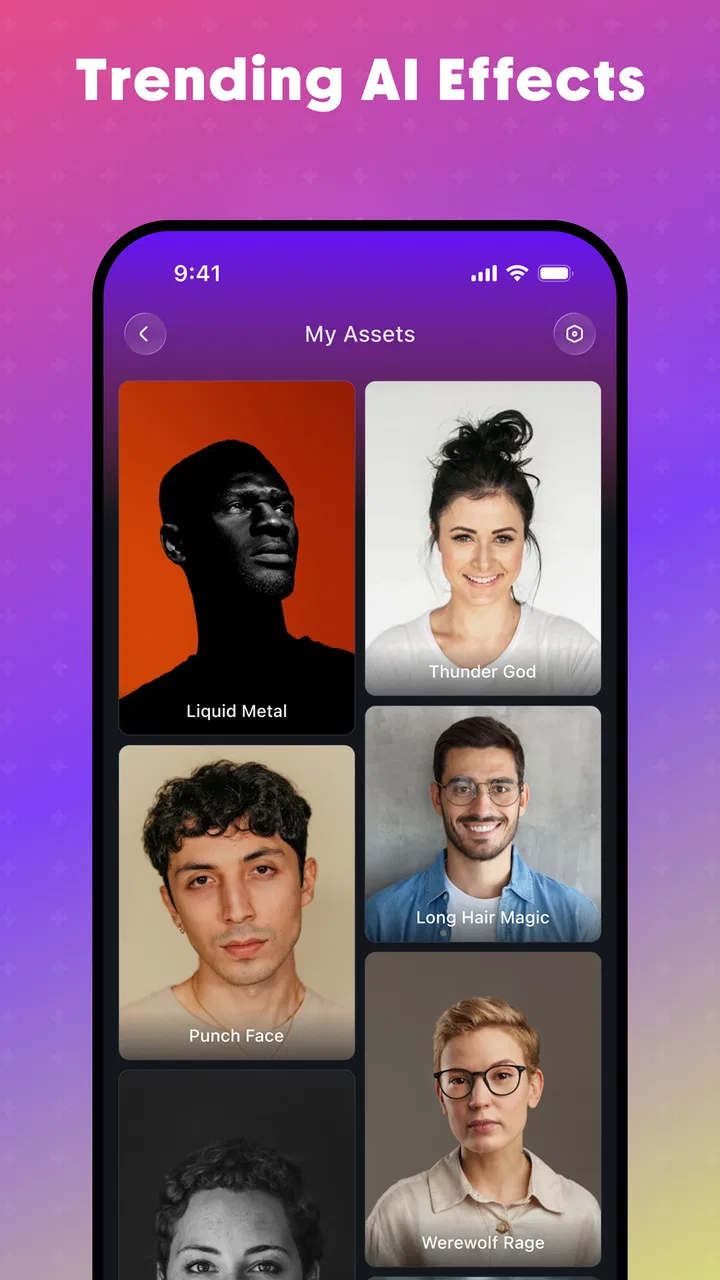
VidEffect’s strongest idea is its narrow focus. Instead of asking me to learn a timeline, it starts with the visual material I already have and points me toward AI effects templates. That is a meaningful advantage for someone who knows what photos they want to use but does not know how to animate them attractively.
I particularly like this approach for personal occasions. Imagine returning from a short trip with a mixture of landscape shots, food photos, and quick portraits. A traditional editor can certainly turn those into a video, but the process may involve choosing transitions, adjusting timing, and repeatedly previewing the sequence. A template-based app can make the first draft much faster, leaving me to concentrate on selection and order.
The same applies to a small seller who wants to turn product photos into a simple promotional clip. VidEffect is not a replacement for a carefully produced campaign, but it can help create a visual draft for a new item, a seasonal announcement, or a quick post when the alternative is publishing a static gallery with no motion at all.
It is also useful for people who feel blocked by a blank editing screen. A blank timeline offers freedom, but freedom can become friction. Starting from an effect gives me a visual direction, and that direction can be enough to move a project from an idea to a shareable draft.
What I would check during the first session
I would not begin by trying to make the most elaborate project. I would choose a small, consistent group of photos and test the complete path from selection to preview. The important question is whether the app helps me reach a satisfying result quickly, not whether I can spend a long time browsing effects.
During that first session, I would look for three practical things. Can I understand what an effect is likely to do before applying it? Can I replace an image without rebuilding the entire project? And can I tell which choices are free and which lead to a paid item? These are the details that determine whether a creative tool feels friendly or frustrating.
I would also preview the result at the size and orientation in which I expect to share it. A composition that looks balanced on a phone may feel less effective when cropped or viewed in another context. Even without advanced controls, choosing photos that keep the subject away from the edges gives the effect more flexibility.
Where a conventional editor may be better
The same focus that makes VidEffect approachable can limit it for demanding work. If I need precise timing, custom captions, voice-over placement, detailed color adjustments, layered graphics, or exact control over a soundtrack, I would choose a full video editor instead. Those tools take longer to learn, but they are designed for decisions that templates intentionally simplify.
A slideshow maker may also be a better fit when the priority is clarity rather than style. For a memorial, presentation, or instructional sequence, I may want each image to stay on screen long enough to study. A strong AI effect can add energy, but energy is not always appropriate. In those cases, a simpler tool with predictable pacing is easier to trust.
There is another trade-off for creators who publish frequently. Template-driven results can be efficient, but they may also encourage a recognizable visual pattern. If a brand needs a consistent identity across many videos, I would compare the time saved against the control lost. A more manual editor may be slower at the beginning but more efficient once a repeatable branded workflow is established.
I would also skip VidEffect for projects that begin with long video recordings rather than photos. Its central appeal is the transformation of still images into a video-like presentation. Starting with extensive footage changes the job entirely, and an editor built around clips would be the more natural choice.
A realistic everyday workflow
Suppose I want to make a quick anniversary video after dinner. I would first choose a focused group of photos: a few portraits, one or two environmental shots, and a closing image that feels personal. I would avoid adding every image from the evening because repetition would make the result less memorable.
Next, I would try an effect that matches the mood instead of simply choosing the most dramatic preview. I would watch the first draft without sound, check whether important faces remain visible, and swap out any image that feels too busy. If the effect changes the emphasis of the photos, I would reorder the source images so the visual movement supports the story rather than distracting from it.
Before sharing, I would verify the final preview on the same phone I plan to use for posting. I would also keep the original project images in a separate folder. That gives me a clean starting point if I later want to make a calmer version for relatives or a shorter version for a social feed.
This workflow shows where the app can save time: not by eliminating all creative decisions, but by moving the user’s attention toward the decisions that matter most. I still need to choose, edit, and review. The app simply gives those choices a ready-made visual framework.
Understanding the free starting point
The free entry point is attractive for experimentation, but I would not treat it as proof that every useful option is free. VidEffect includes in-app purchases priced from $12.99 to $309.99 per item, a broad range that deserves careful attention. Before building a project around a particular effect, I would check whether it is available without payment and whether the purchase is appropriate for how often I expect to use the app.
For a one-time personal video, paying for a specific option may not be worthwhile if a simpler effect communicates the same feeling. On the other hand, someone who regularly creates photo-based videos may value a paid choice if it saves repeated editing time. The decision depends less on the headline price than on whether the result replaces work I would otherwise do manually.
I would be especially cautious about purchasing before I have tested the complete workflow. A visually appealing template preview is not enough. I want to know how my own photos behave inside it, whether the pacing suits the occasion, and whether the finished result meets my intended use. Testing with a small project reduces the risk of paying for an effect that looks better with sample images than with mine.
What switching to VidEffect involves
Moving from a manual editor to VidEffect means giving up some control in exchange for a faster starting point. I would no longer expect to design every transition or timing choice myself. Instead, I would spend more time selecting source images and less time constructing the sequence from scratch.
That switch is worthwhile when my main obstacle is editing effort. It is less worthwhile when my main obstacle is a need for precision. A photographer making a polished portfolio piece may prefer a tool that preserves exact composition and pacing. A casual user making a quick recap may prefer the guided route, even if the final video is less individually tailored.
There is little reason to abandon a familiar editor immediately. I would use VidEffect alongside it at first: create a fast concept in VidEffect, then decide whether the result is already good enough or whether the project deserves manual finishing elsewhere. This two-step approach is useful because it separates idea generation from detailed production.
For someone who currently posts only photo carousels, the switch may feel more rewarding. A template can add movement without requiring a complete change in creative habits. The user still works with photos, but the final presentation has a stronger sense of sequence.
Who should try it first
I would recommend VidEffect to casual creators, families, travelers, small sellers, and social users who want to turn photos into a more dynamic presentation without learning a complicated editor. It is also a sensible first experiment for anyone who has repeatedly postponed making a video because the timeline looked intimidating.
It is a particularly good match when speed matters more than complete originality. If the goal is to produce a pleasant draft in one sitting, the app’s template-centered design addresses that need directly. The best results will come from users who are willing to curate their photos rather than expecting the effect to make every image equally interesting.
I would not make it my first recommendation for professional editors, filmmakers, educators who need exact pacing, or brands that require strict visual consistency across a large library of content. Those users may find the guided workflow too restrictive, and a conventional editor may provide better long-term control.
My recommendation after weighing the trade-offs
My view is that VidEffect is worth trying when the project begins with photos and the desired outcome is a quick, stylized video. Its free starting point lowers the barrier to testing the concept, and the focus on AI effects templates gives beginners a clearer path than an empty timeline. The app is most useful when I treat it as a fast creative assistant, not as a complete replacement for every kind of video software.
I would make the decision in stages: prepare a small photo set, test one or two suitable effects, review the result silently, and only then consider whether a paid option makes sense. That process keeps the app’s convenience while protecting me from paying for a style that does not suit my material.
There are real reasons to choose something else. A manual editor wins for precision, a simple slideshow tool wins for calm readability, and a clip-based editor wins when the source material is already video. But for the specific gap between a static photo collection and a shareable, effect-driven video, VidEffect has a clear purpose.
In the end, I would recommend it to a friend who says, “I have the photos, but I do not know how to make them feel like a video.” I would add one condition: start with a focused story, watch the preview carefully, and keep expectations realistic about paid choices. Used that way, VidEffect is a practical shortcut for photo-based video ideas, especially for people who value an approachable result over detailed manual control.
FAQs for VidEffect-AI Effects Maker
01What is VidEffect-AI Effects Maker used for?
VidEffect-AI Effects Maker is a mobile video-editing app designed to help users create short, visually enhanced clips with artificial intelligence effects, filters, transitions, and other creative tools. It is aimed at social-media content creators, casual editors, and anyone who wants to transform ordinary videos without using complex desktop software. The available tools and results may vary depending on the device and app version.
02Is VidEffect-AI Effects Maker free to download and use?
The application may be available to download at no initial cost, but some effects, templates, export options, or advanced AI features can require in-app purchases or a subscription. Before starting a trial, check the pricing page carefully, including the renewal terms and cancellation instructions. Users should also review whether the free version adds watermarks, limits video quality, or restricts access to certain editing tools.
03Does VidEffect-AI Effects Maker require an internet connection?
An internet connection may be necessary for downloading effects, processing AI-powered transformations, synchronizing content, displaying advertisements, or accessing online templates. Basic editing functions could work offline after the required resources have been downloaded, but this depends on the specific version and feature. For the smoothest experience, use a stable Wi-Fi connection, especially when importing large videos or exporting high-resolution projects.
04Can I export videos without a watermark and share them on social media?
VidEffect-AI Effects Maker may allow users to save edited videos directly to their device and share them on platforms such as TikTok, Instagram, YouTube, or messaging apps. However, watermark-free export, higher resolutions, longer videos, or premium formats may be limited to paid users. Check the export screen before finalizing a project, because the available quality, file format, and sharing options can change between updates.
05Is VidEffect-AI Effects Maker safe and suitable for beginners?
The app is generally intended for straightforward mobile editing, so beginners can usually explore its effects and templates without advanced technical knowledge. Nevertheless, users should review the permissions requested, privacy policy, and terms covering uploaded videos or AI processing before using sensitive content. Keep the app updated, download it from an official store, and avoid importing private footage if you are uncomfortable with cloud-based processing.
Pros
- Wide range of AI effects for creative photo and video edits.
- Simple interface makes most tools easy for beginners to use.
- Preview effects before saving or sharing your final creation.
- Supports quick sharing to popular social media platforms.
- Regularly refreshed effects help keep content feeling current.
Cons
- Some advanced effects may require a subscription or in-app purchase.
- AI processing can take longer on older or less powerful devices.
- Results may vary depending on image quality and lighting.
- Exported videos may include watermarks on the free plan.
- The app may require substantial storage for effects and saved projects.

VidEffect-AI Effects Maker
Gallery